Congratulations on Starting your Business with Avon
I Register online at.avon.com
- Use your email
- Get a security code sent to your email
- Use that security code to enter to avon.com and re set or keep your password if it fits the password criteria. Maybe change password and add capital, symbol and number
2 If you are registering read the Avon Independent Sales Representative terms
And conditions and check to complete registration
3 Review your preferences for the publicity release and review your email address. You may
Update these on the screen or in your profile anytime at avon.com
4 Go to where it says Hi and your name and click on profile and answer all questions and fill out profile, Definitely click let recruits and customers find me. Copy and paste a welcome video from Youtube. Instructions are on Avon Youtube page and do product videos as well when you click on mystore. You can add them and make comments on the products you love.
5 Take the Avon University courses on classes needed for your Avon business. Like pages including Social Selling and Avon USA Representatives. Personalize your Avon estore with a picture . Go to shop and product search and enter all customers information including emails.
6 Arrange for a training with your upline_________________ at __________________ and
______________.
7 Take orders by writing customer information. This means names, addresses, numbers and emails. Make sure to Collect all monies upfront. You will be paying for your order when you submit it. One payment per order and do not make payment upfront. You can call the 1-866-513-2866 for any issues with your order or me 281-384-3480.
8. Read all the Path to Premier and new representatives policies as to be informed about your future earnings and rules governing Avon. Earnings with a * or diamond asterisk are 20% to new representatives 25% earnings($40 plus order) to Presidents club representatives or higher.
9. Make sure that you are ordering every campaign so that you have your books, samples
and other supplies. Books could be sold out and you are responsible for all your books and supplies
10. Check your flexible selling calendar to be sure that you have your campaign orders in on
time. The last date is before 11:59pm easter time, 10:59pm central time, 9:59pm mountain time, 8:59pm pacific time. Right on time not even 1 second after. I would do it early. If late your order goes to the next campaign and you may not get your backordered items.
11. Unpack your Avon products and check with your invoice online and check that
all the items are there. Avon will only send one page so print out the others if you can for tax purposes if applicable Immediately contact Avon by phone/email ( support Avon on right
hand side top corner of the website)
12. Deliver orders and be sure to include brochures, samples, business cards, and recruiting
flyers
13. Payment that can be collected several ways: credit card (with swiper ex. Square.com), through the website, cash. Mark paid on your order book. It is a representatives decision to accept payment by checks.
15. Pay Avon- Use a credit card to pay or enroll in avon wallet(known as hyperwallet) You need to enroll with account number and leave first digit off, correct social security and either attach bank account to get direct deposit or apply for a credit card to get funds transferred(which fees may be added, make sure you read all instructions). After 3 campaigns a representative will be removed from their Avon account for non-payment if you have any credit. You can also be removed for inactivity of 5 campaigns as well.
16. You can further your Avon business by taking Avon University classes, watching facebook lives,(that means you need to go on the home page and like the Avon Social Selling page)
attend webinars, attend virtual meetings, attend virtual/physical meetings
with uplines, attend regional meetings, reading all emails and facebook posts.
HERE ARE SOME PROCEDURES IN MORE DETAIL (My Cheat sheet instructions) TO ASSIST YOU WITH YOUR AVON BUSINESS TO GO ALONG WITH Avon Youtube page
First Time Log-in(repeated)
- Log into avon.com
- Enter email and wait for code sent to your email
- Get security code and enter it on avon.com
- Enter password or change to fit password requirements. Make sure you write it down somewhere as I do not have your password
- Go to Hi and your name and fill out all questions and especially let recruits and customers find me. Include all languages you speak. Also include a welcome video copied and pasted from Youtube. All info on how to do that is on Avon U
- Read terms and conditions for policies for Avon and estore policies and continue.
Make an Order
- Click Shop to the left or digital catalogue
- Two ways to enter orders
- Go to shop on the left and you will find the categories. You can shop there or enter by product number where you will first enter the customer information(name, address, number and email) and then enter product number and then click the campaign the customer is ordering from. Choose the campaign you are in or last campaign or you can set up for the next campaign order. I would always suggest having a paper copy of the order as well in case the order is ever lost. Copies of Avon order form can be found on Avon U, your welcome packet or my Team Beautiful Facebook group,
- To order by digital brochure. Click on Digital brochure and use categories, content etc to sho as well. You can scroll to the different books to see What’s new future Demo catalogs.
- Samples can be ordered in bulk packs in the What’s new booklets or you can order individually under the browse products menu.
- Remember .1 pack of books means ten for the regular brochures. You should be ordering 2 campaigns ahead and order 1 behind if not sold out. You can order all kinds of bags from there as well.
- Click your order grocery cart on the right and go over customers orders to make sure they are correct. Click continue. Always check the available credit to see if there is any you can use(online orders, first order credit etc) Submit your order. If you should see pay Avon now that means you need to pay to as not hold up your Order. You can also pay by manage business, pay Avon. Always check that after you submit your order. You will get an order confirmation by email. Make sure you get the order confirmation email otherwise your order may have not been processed.
Finding your Order
- Look under the Manage business and web office tab to see individual orders and to print out invoices for your customers. Invoices can not be printed unless you enter each customer order separately .. You would go to Enter items or you can add through the web office where is says add customers. You can also track orders(manage business tab) and read your invoice. No need to print, you can view your invoice or take a picture to sent to your customers. Usually 3 to five days unless impacted by a holiday or natural disaster. You will know after a while when your order regularly arrives. You can also print out or edit invoices through the invoice orders tab.
Ordering samples and Supplies – Super Important
- Under the browse products tab you can order samples, sales tools, brochures and demos. Demos can also be ordered by shopping by the Whats new digital catalogue. Sometimes it is easier to see and read the book than scrolling.
Buy 1 get one free
- If you order 1 of mix and match you must order one of the other.
- If you order buy 1 get one free. If you order one the other one will be sent to you.
- If you do not get your product contact Avon by the support center(email Avon)
Or call 1-866-513-2866
EZ Returns- Please take the Avon U course for returns to print out a packing and shipping list, I always make an extra copy. You can deduct the fees for your taxes and choose your own independent carrier to drop off your return.
Avon Wallet
Go to manage business and Avon wallet. You must enter bank account number, routing name and social security. You can link your bank account give permission to transfer or have automatic transfer. Please make sure and double check that all information is correct. You can order a bank card , but there may be fees incurred. There are courses on Avon U to lay out further details
To sign up members for your Avon Team
- They can go to your customer website avon.com go to where it says Bring a friend and you may share or copy that link prospect when they click on that link it will say
BECOME AN AVON REPRESENTATIVE
- Go to avon.com and enter your reference code which is the part after the / of
Your website for example my website is www.avon.com/repstore/asmathers so my reference code is …..asmathers
- Important!! If you do not get a self-appointment email have them call Avon 1-866-513-2866 asap to get it changed . They only have 5 business days to get it done.
Necessary Numbers
- Order calls or any other procedure 1-866-513-2866 English
1-866-588-2866 Spanish
- Product Questions 1-800-367-2866
- Credit Collections 1-513-551-4774
- Call in apt/emergency Mon-Fri 1-800-367-2866
- Fixing Credit Charges 1-800-253-0299
- Fundraiser Hotline 1-888-564-2866
- Leadership Hotline 1-866-513-2866
Make sure that you take care of your Avon business by contact the support center by email or phone. If you have a problem with your order or an issue in leadership make sure you contact the appropriate area of support.
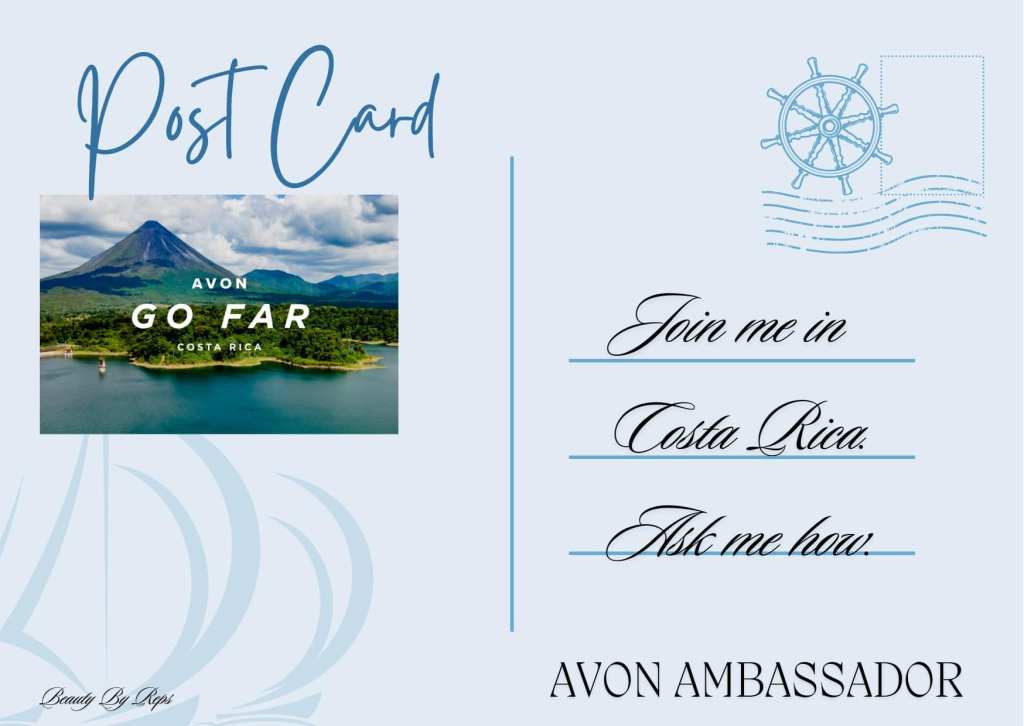
Join us in Costa Rica, Ask me how to earn the trip!
 FREE TO SIGNUP FOR AVON!!! www.youravon.com/asmathers